Tutorials
Learn how to get the most out of Therapy Binder
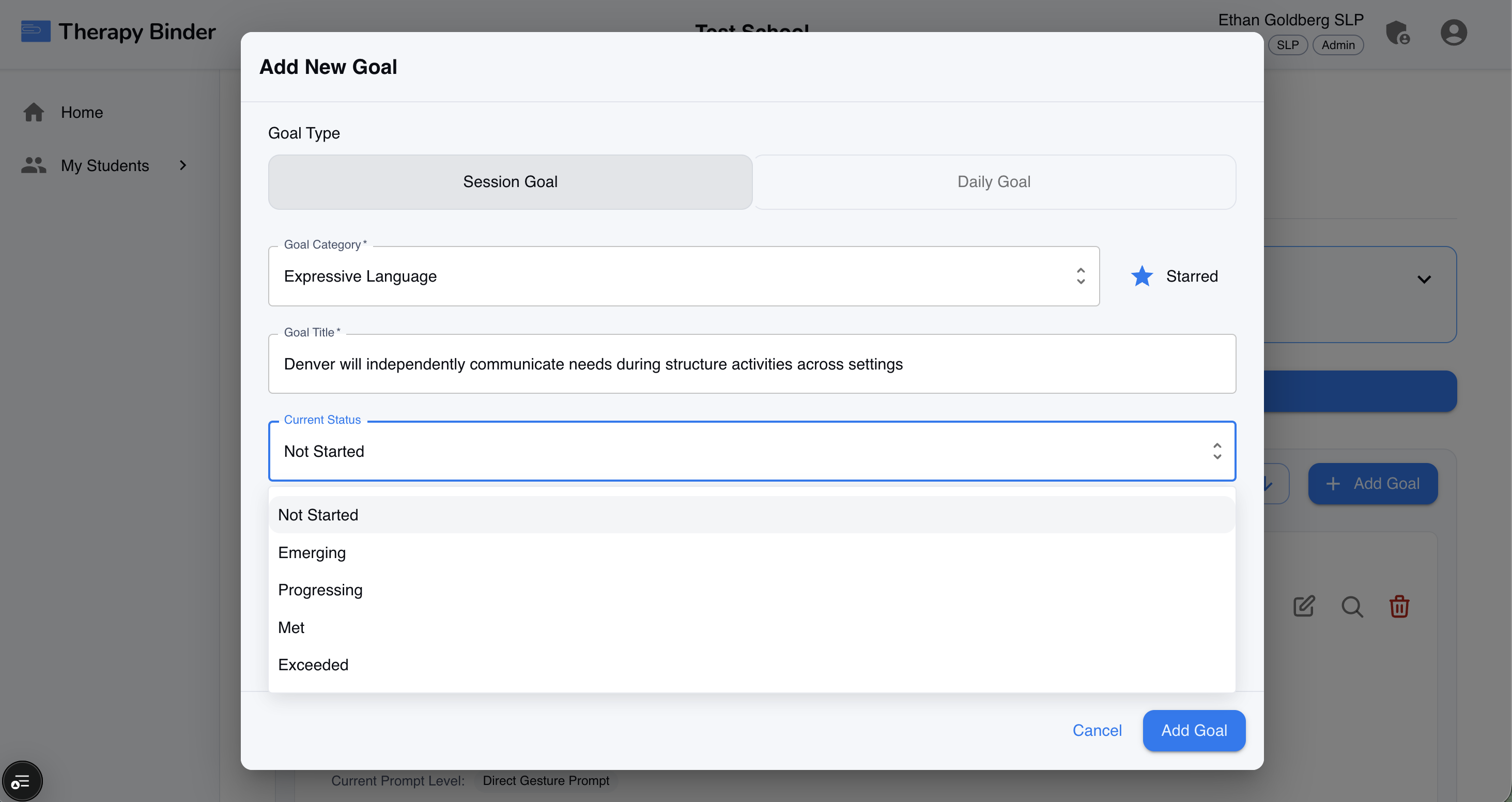
1. Creating a Goal
Import or create goals you are working towards for each student or client. From the profile, tap Add Goal, give it a clear name and category, and add measurable objectives. Well-defined goals make progress tracking and reporting more useful for the whole team.
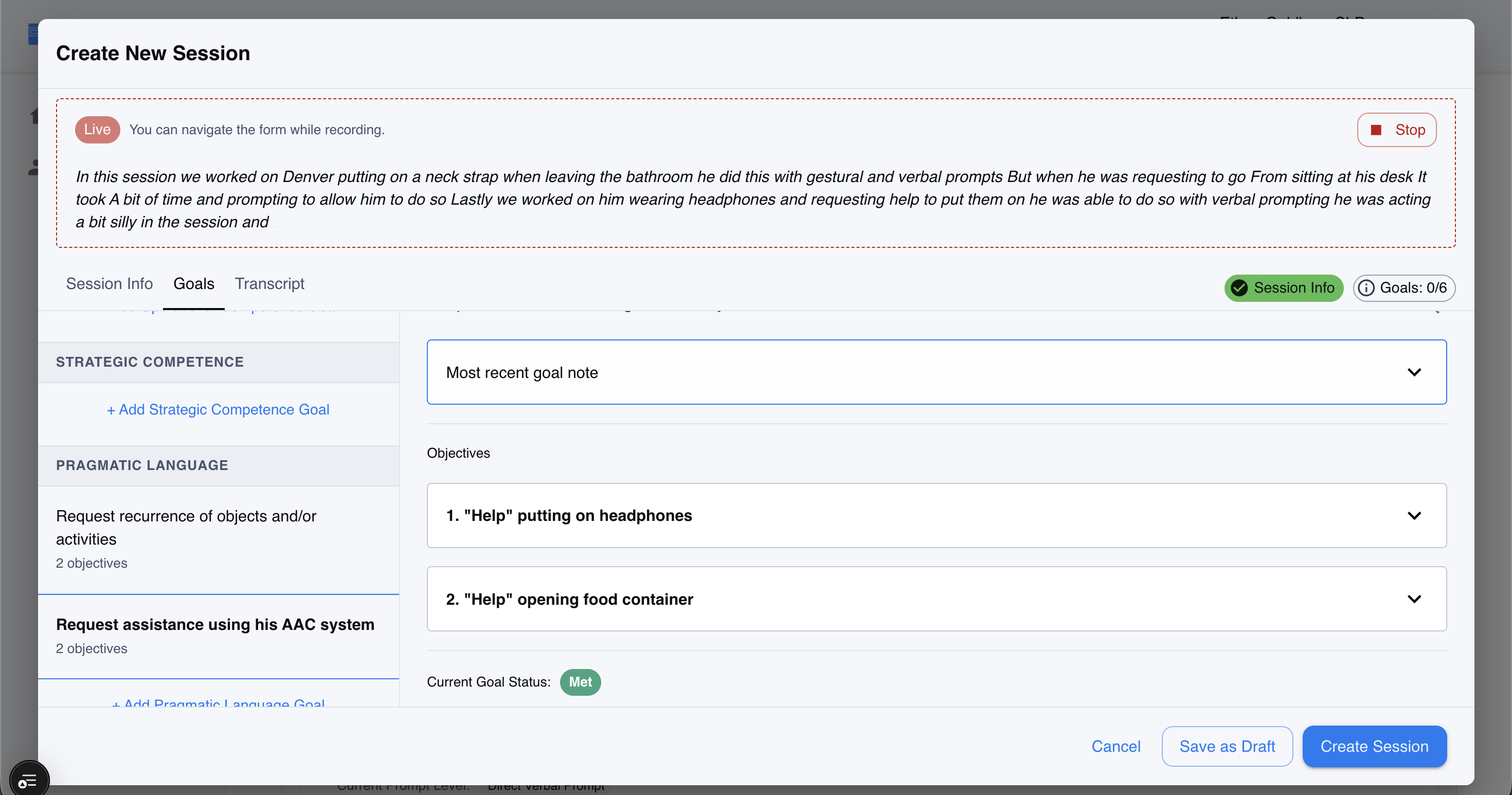
2. Creating a Session
Document each therapy session quickly and consistently. From the app, go to the student or client profile and tap New Session. Choose the date, duration, and add your session notes. You can link the session to specific goals and log activities or prompts used. Sessions are the building blocks of progress tracking.
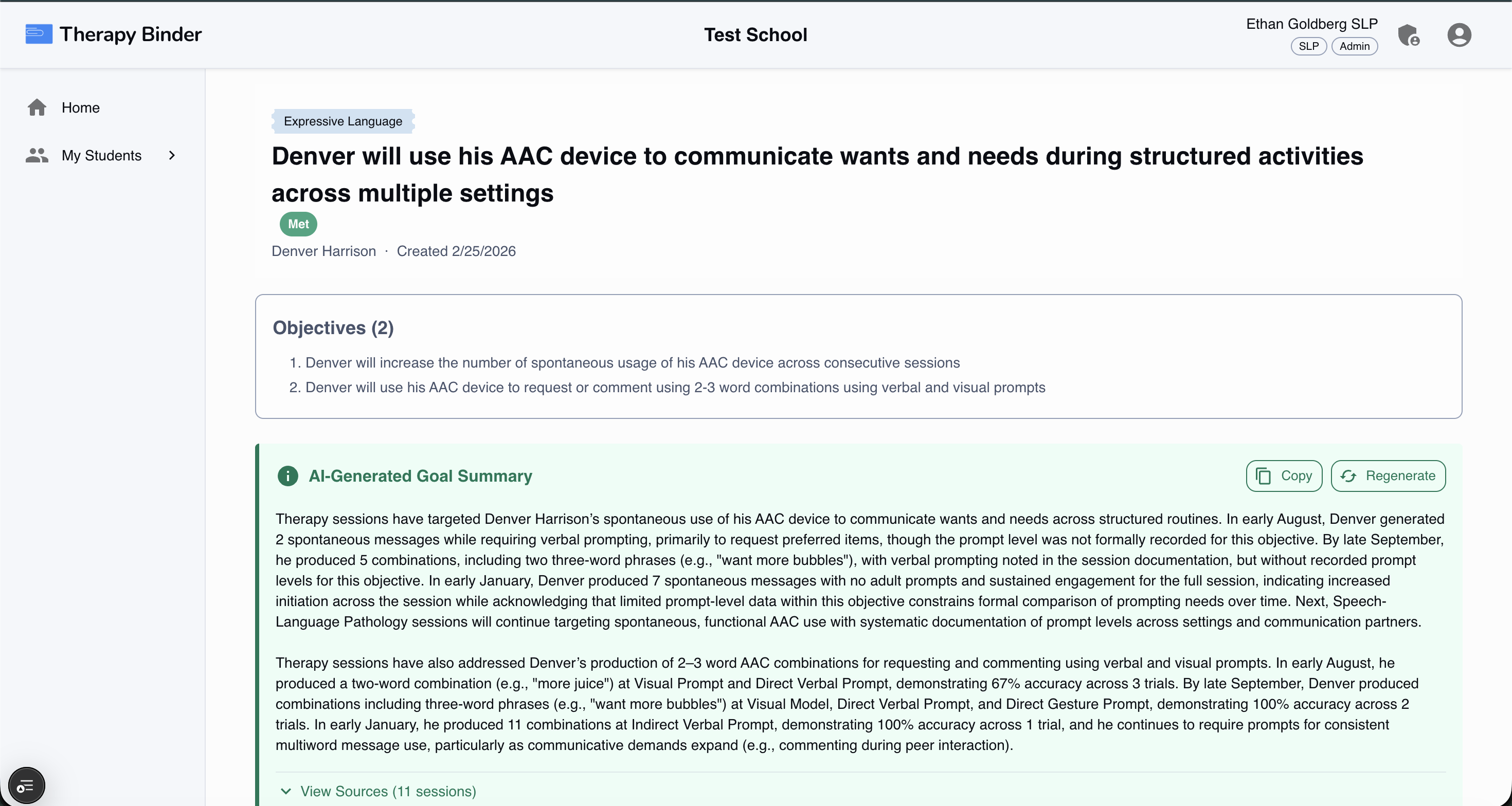
3. Goal Insights
Goal Insights show how each student or client is progressing toward their objectives. Open the Goals area from the profile to see an AI overview, progress over time, trend lines, and which goals are on track versus need attention. Use these insights to adjust therapy plans and prepare for meetings.